Invite Your Team
Overview
Collaborate with your team by inviting colleagues to your Vantage organization. You can assign permissions to control access to clusters, jobs, and administrative features.
What You'll Learn
- How to navigate to user management
- How to send team invitations
- How to assign permissions to new members
Prerequisites
- A Vantage account and organization
- Admin or User Management permissions in your organization
Step 1: Navigate to Users
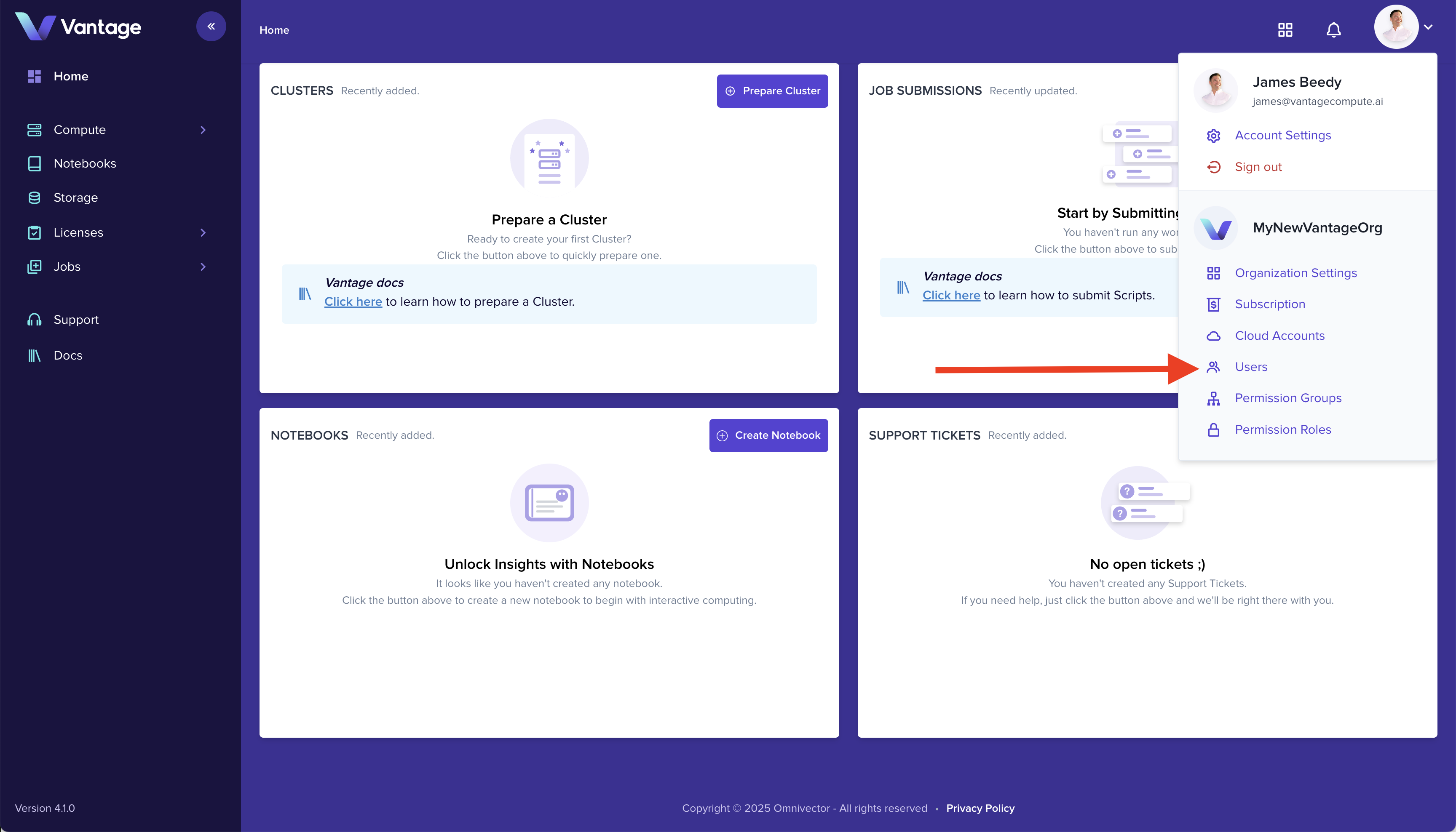
Go to the Users page in the Vantage platform by selecting it from the settings dropdown menu.
Step 2: Create New Invite
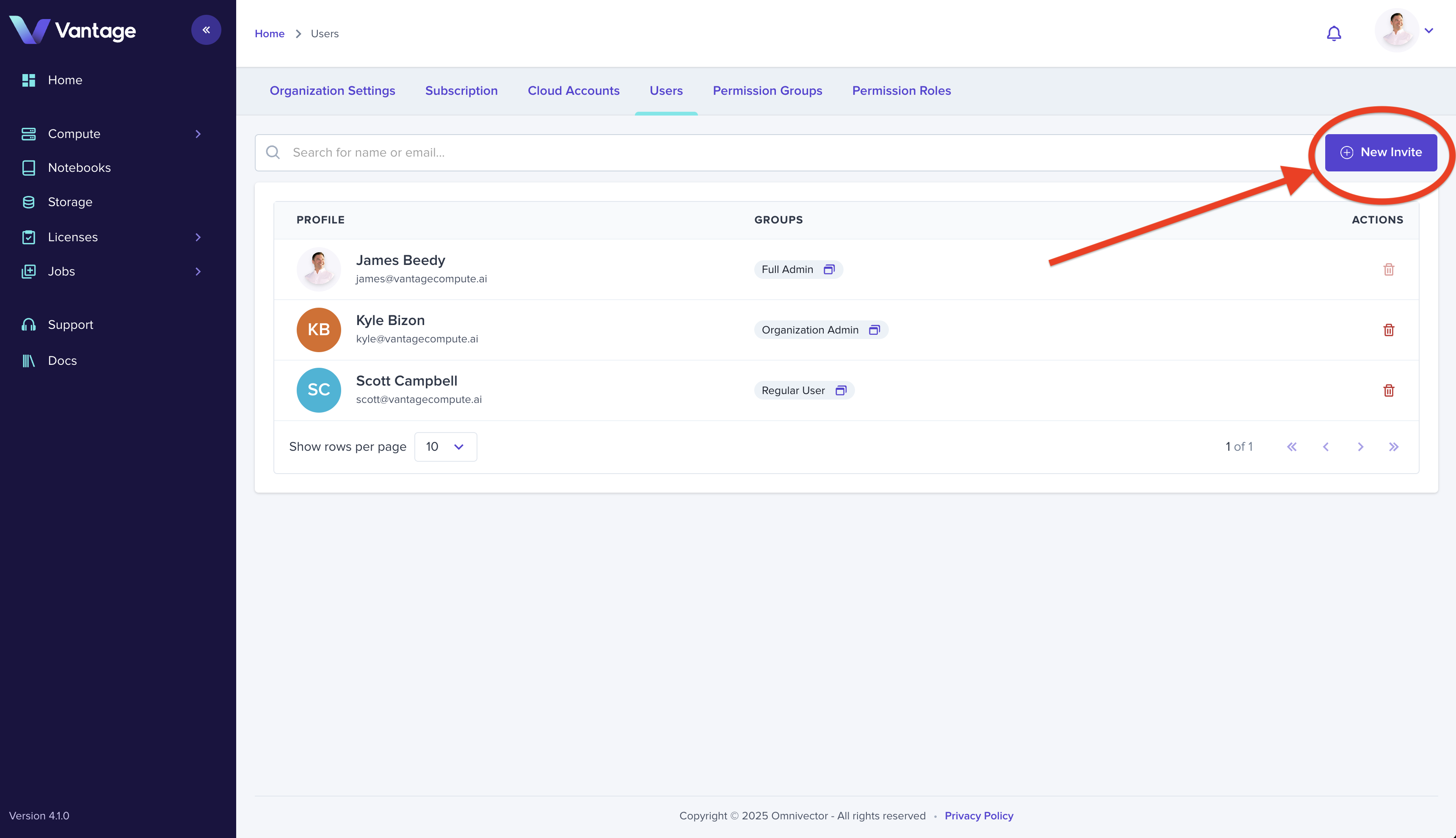
Click the New Invite button in the upper right corner of the Users page to open the invitation form.
Step 3: Enter Invitee Details
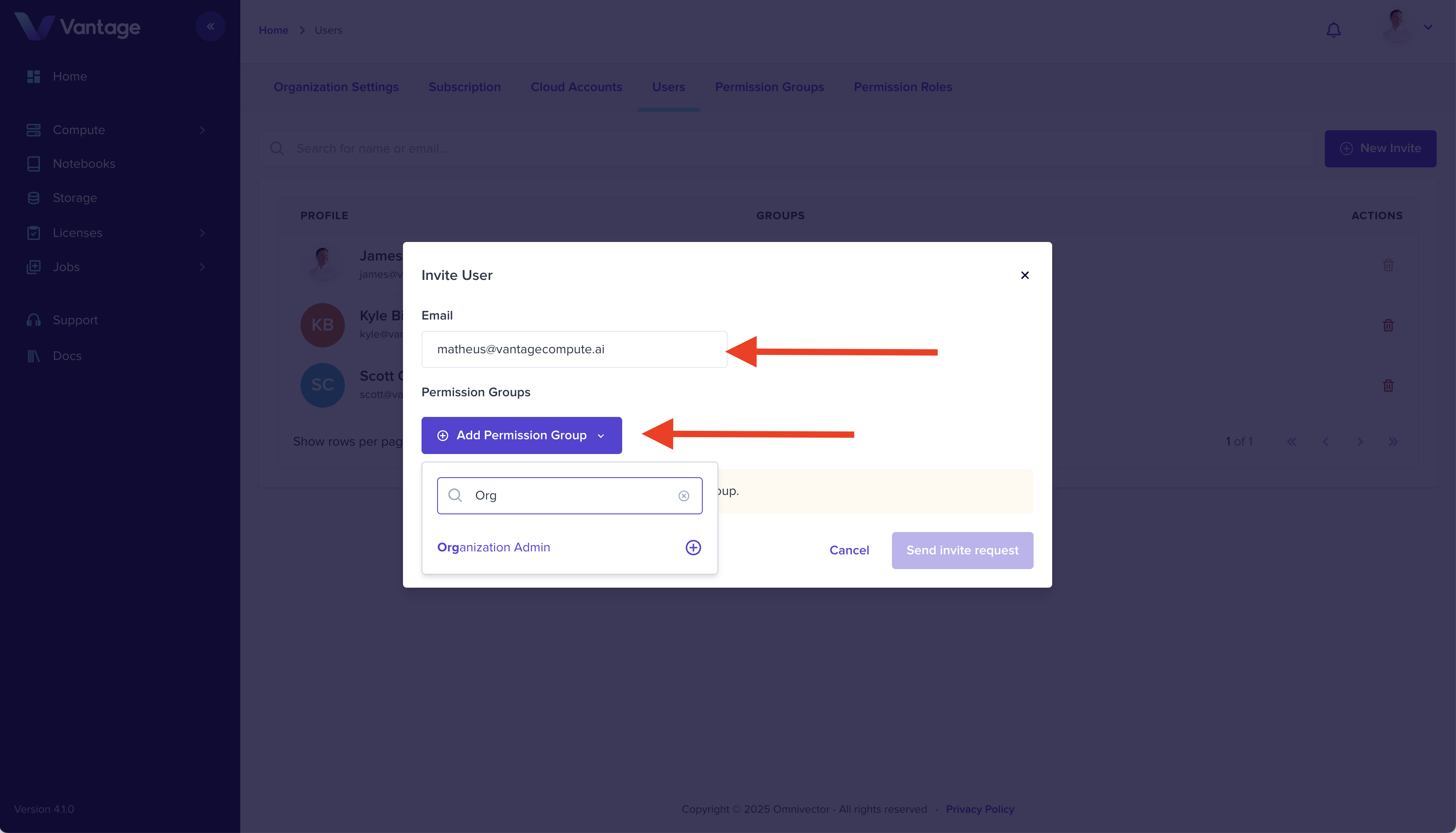
Complete the invitation form by entering the invitee's email address and selecting the appropriate permissions groups. Click Send Invite Request to send the invitation.
Summary
The invitee will receive an email from invites@vantagecompute.ai with a link to join your organization. Once they accept, they'll have access based on the permissions you assigned.
Go Deeper
Vantage offers advanced identity management capabilities including custom permission groups, teams, federated identity realms, multiple identity providers, and SSO integration.